Introduction
Content creation eats up hours that most marketers, bloggers, and business owners simply don’t have. Between brainstorming topics, researching, writing, and optimizing for search engines, a single blog post can take an entire afternoon. That’s the gap tools like QuickPen AI are trying to close. It promises to turn a simple keyword or title into a full, SEO-friendly draft in minutes. But is it actually worth adding to your workflow? This article breaks down what QuickPen AI does, how it works, its pricing, and how it stacks up against other AI writing tools on the market.
What is QuickPen AI?
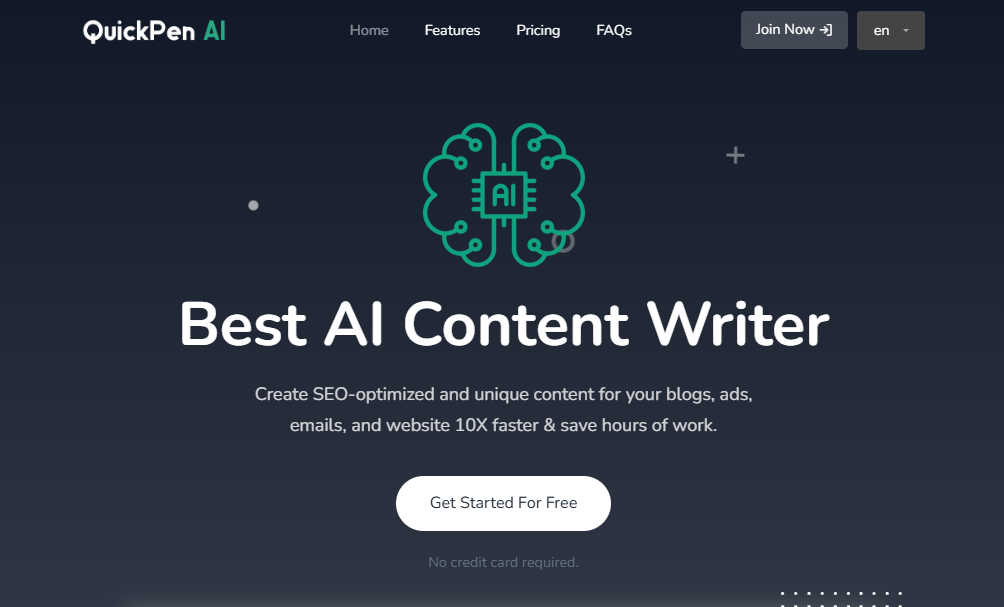
QuickPen AI is a web-based, AI-powered content writing platform built to help entrepreneurs, marketers, and everyday professionals generate written content quickly. Instead of staring at a blank page, users type in a topic, keyword, or title, and the tool produces a draft using natural language generation. It’s designed to support a wide range of formats, including blog posts, email copy, ad text, and social media captions, all while trying to keep search engine optimization in mind.
The tool positions itself as a time-saving assistant rather than a full replacement for human writers. It’s aimed at people who need decent first drafts fast, not a polished, publish-ready manuscript with zero editing required.
Key Features
- Large template library: Around 60 to 79 templates covering blog posts, product descriptions, ads, emails, and more.
- AI-driven content generation: Uses input like a title or keyword to produce structured drafts automatically.
- Built-in SEO optimization: Attempts to weave in relevant keywords and follow basic on-page SEO practices.
- Multilingual support: Content generation in more than 20 languages.
- Grammar and tone checking: Flags grammatical issues and helps keep tone consistent.
- AI image generation: Lets users create supporting visuals within the same platform.
- Text-to-speech conversion: Turns written drafts into audio.
- AI chatbot assistants: Additional chat-based tools for specialized help.
- Import/export functionality: Makes it easier to move content in and out of the platform for team collaboration.
- No-download, browser-based access: Works entirely online without installing software.
Benefits
Using QuickPen AI can meaningfully cut down the time spent on first drafts, which is especially useful for people managing multiple content pieces at once. The template variety means you’re not starting from scratch for different content types, and the built-in SEO features remove some of the guesswork around keyword placement. The multilingual support is a real plus for anyone creating content for international audiences, and having grammar checking, image generation, and text-to-speech in one place reduces the need to juggle separate tools.
Pros & Cons
Pros:
- Fast draft generation compared to manual writing
- Free plan available to test before paying
- Wide template selection for different content needs
- Supports over 20 languages
- All-in-one platform (writing, images, audio, chat)
Cons:
- Limited ability to add detailed prompts or context before generating content
- Free plan has word count and feature restrictions
- Output often needs editing to sound fully natural and on-brand
- No native mobile apps; browser access only
- Image generation and some extras may be inconsistent on the free tier
Pricing
QuickPen AI operates on a freemium model. The free plan gives users access to dozens of templates along with a capped word allowance and limited access to extra features like chatbots and image generation. The paid Pro plan is priced at around $29 per month and unlocks unlimited usage across the platform’s tools, typically backed by a short free trial period for new users to test the premium tier before committing.
System Requirements
Since QuickPen AI runs entirely in a web browser, there’s no traditional installation or hardware requirement. You’ll just need:
- A modern web browser (Chrome, Firefox, Edge, or Safari)
- A stable internet connection
- An account/login to access saved projects and premium features
Supported Platforms
| Platform | Supported |
|---|---|
| Web (Browser) | Yes |
| Windows | Yes (via browser) |
| macOS | Yes (via browser) |
| Android | Yes (via mobile browser) |
| iPhone (iOS) | Yes (via mobile browser) |
There’s currently no dedicated desktop or mobile app — access is entirely through a web browser, which does mean the experience is consistent across devices but lacks offline functionality.
How to Use QuickPen AI (Step-by-Step)
- Sign up for a free account on the QuickPen AI website.
- Choose a template that matches your content type (blog post, product description, ad copy, etc.).
- Enter your input, such as a title, topic, or target keyword.
- Select your preferred language and tone, if applicable.
- Generate the draft and let the AI produce the initial content.
- Review and edit the output for accuracy, tone, and brand voice.
- Run the grammar/tone check to polish the final draft.
- Export or copy the finished content to your website, CMS, or document.
Best Use Cases
- Writing first drafts of blog posts or articles under time pressure
- Generating product descriptions for e-commerce listings at scale
- Drafting social media captions and ad copy quickly
- Creating multilingual content for global audiences
- Producing outlines or talking points for reports and presentations
Who Should Use It?
QuickPen AI is best suited for small business owners, freelance writers, social media managers, and content marketers who need a quick head start on written material. It also works well for students and educators who need help drafting outlines or study materials, and for e-commerce sellers who need bulk product descriptions. It’s less ideal for writers who need deep, highly customized prompting or long-form investigative content, since the input options are relatively basic.
Alternatives
Several other AI writing tools compete in the same space, each with different strengths:
- AIWritingPal — general-purpose AI writing assistant
- Elite AI Writer — focused on fast, SEO-optimized, plagiarism-free content
- Penelope AI — writing enhancement and editing focus
- VoicePen / Voice Pen AI — voice-to-text content transformation
- Newcontent.ai — broader AI content creation suite
Feature Comparison Table
| Feature | QuickPen AI | Elite AI Writer | AIWritingPal |
|---|---|---|---|
| Templates | 60–79 | Similar range | Moderate |
| SEO Optimization | Yes | Yes | Limited |
| Multilingual Support | 20+ languages | Varies | Varies |
| Image Generation | Yes | Limited | No |
| Text-to-Speech | Yes | No | No |
| Free Plan | Yes | Yes | Yes |
Pros & Cons Table
| Pros | Cons |
|---|---|
| Fast content generation | Limited prompt customization |
| Free plan to start | Word/feature caps on free tier |
| Multilingual support | Requires editing for polish |
| All-in-one toolset | No dedicated mobile app |
Pricing Table
| Plan | Price | Key Features |
|---|---|---|
| Free | $0 | Limited templates, capped word count, restricted extras |
| Pro | ~$29/month | Unlimited templates, full feature access, free trial available |
FAQs
1. What is QuickPen AI used for? It’s used to generate SEO-optimized written content such as blog posts, ads, emails, and social media captions using AI.
2. Is QuickPen AI free to use? Yes, there’s a free plan with limited word counts and features, plus a paid Pro plan for full access.
3. Does QuickPen AI produce plagiarism-free content? The platform is designed to generate original content for each user based on their input, though it’s always worth running important content through a separate plagiarism checker.
4. How many languages does QuickPen AI support? It supports content generation in more than 20 languages.
5. Can I use QuickPen AI on my phone? Yes, since it’s browser-based, it works on Android and iPhone through a mobile browser, though there’s no dedicated app.
6. Is QuickPen AI good for SEO content? It includes built-in SEO features aimed at keyword optimization, though output often benefits from additional manual SEO review.
7. Does QuickPen AI require any downloads? No, it runs entirely online through a web browser with no installation needed.
Conclusion
QuickPen AI offers a practical, browser-based solution for anyone looking to speed up their content creation process. Its wide template library, multilingual support, and bundled extras like image generation and text-to-speech make it a fairly well-rounded tool for marketers, small business owners, and freelancers. That said, it’s not a magic wand — the generated drafts typically need human editing to sound polished and on-brand, and the free plan’s limitations mean serious users will likely need to upgrade. For anyone testing the waters of AI-assisted writing without a big budget, QuickPen AI is worth trying before committing to a paid plan.