If you run a WordPress site and spend hours writing blog posts, product descriptions, or landing page copy, you’ve probably wondered whether an AI tool could speed things up without forcing you to leave your dashboard. That’s exactly the gap Bertha AI tries to fill. In this guide, we’ll break down what Bertha AI is, how it works, what it costs, and whether it’s worth adding to your content workflow.
What Is Bertha AI?
Bertha AI is an AI-powered writing and content generation tool built specifically for WordPress users. Instead of asking you to copy and paste text between a separate AI chat window and your website, Bertha embeds itself directly into the WordPress editor (including Gutenberg and most page builders), so you can generate headlines, paragraphs, product descriptions, and full drafts without switching tabs.
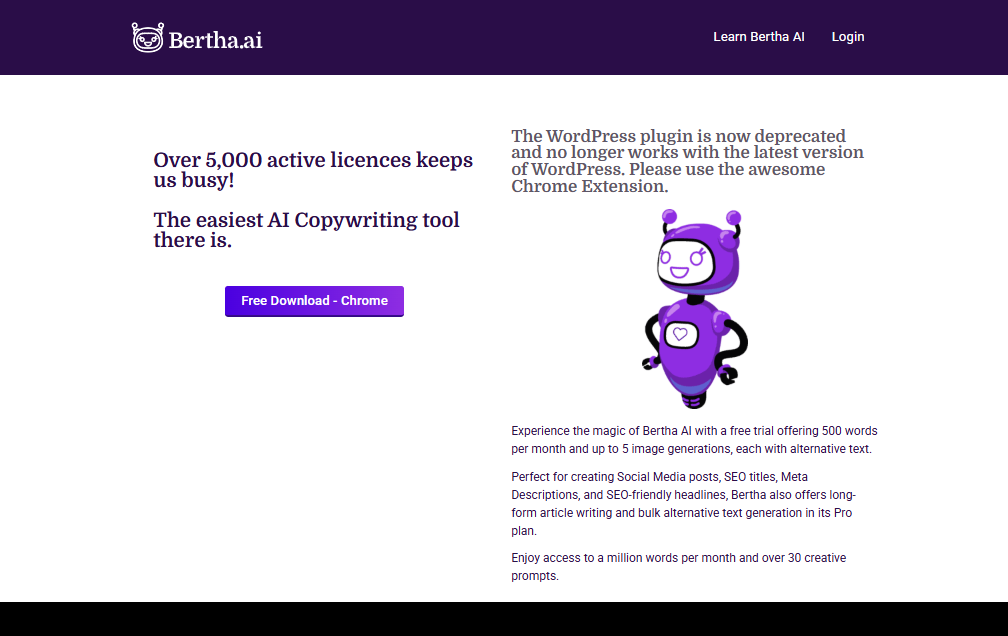
Beyond the WordPress plugin, Bertha also offers a Chrome extension, which lets you use its writing and chat features anywhere in your browser — not just inside WordPress. It combines text generation with basic image creation, giving small business owners, bloggers, and marketing teams a single tool for drafting both written and visual content.
Under the hood, Bertha relies on GPT-based language models, similar to what powers many other AI writing assistants. Its main differentiator isn’t the underlying AI itself, but how tightly it integrates into the WordPress publishing workflow.
Key Features
- In-editor content generation – Create blog posts, meta descriptions, headlines, and product copy right inside the WordPress post editor.
- WooCommerce & Easy Digital Downloads integration – Automatically generate product descriptions based on a product title, which is especially useful for stores with large catalogs.
- Chat interface – A built-in chat window for brainstorming ideas, expanding on existing text, or drafting social media captions.
- Inline editing panel – Highlight any block of text and ask the AI to rewrite, shorten, expand, or change its tone without starting from scratch.
- Pre-built templates – Dozens of templates covering blog intros, landing pages, email copy, ad copy, and more, designed to speed up first drafts.
- Image generation – AI-generated images and alt text, useful for featured images or product visuals without needing a separate design tool.
- Chrome extension – Use Bertha’s writing tools outside WordPress, across almost any website or web app.
- Theme and page builder compatibility – Works with virtually any WordPress theme, since it hooks into the standard editor rather than modifying theme files.
Benefits
Saves time on repetitive writing. For site owners who publish frequently, Bertha can cut the time spent on first drafts significantly, especially for formulaic content like product descriptions or meta tags.
No tool-switching. Because it lives inside the WordPress dashboard, you avoid the friction of drafting content elsewhere and reformatting it for your site.
Good for non-writers. Store owners and small business operators who aren’t confident writers can use the templates to produce serviceable copy quickly.
Scales with e-commerce catalogs. The WooCommerce integration is particularly handy for stores with hundreds of products that would otherwise need manual descriptions.
Affordable entry point. Compared to some enterprise-grade AI writing suites, Bertha’s pricing is accessible for freelancers, small agencies, and solo bloggers.
Pros & Cons
| Pros | Cons |
|---|---|
| Deep, native integration with the WordPress editor | Primarily supports English; other languages are hit-or-miss |
| Works with any WordPress theme or page builder | Output quality can trail behind more advanced standalone AI models |
| Includes both text and basic image generation | Chrome extension and WordPress plugin can’t run simultaneously in some setups |
| WooCommerce/EDD product description automation | Generated content still needs human editing for accuracy and voice |
| Free tier available to test before paying | Advanced features like video generation aren’t offered |
| Reasonable pricing for small sites and freelancers | Costs can rise as word/image limits are exceeded on lower tiers |
Pricing
Bertha AI’s pricing has shifted over time, and plan names and limits can change, so it’s worth checking the official site before subscribing. As of recent plans, the general structure looks like this:
- Free plan – A limited number of words (around 500/month) and a handful of image generations, enough to test the tool.
- Starter plan – Roughly $20/month, including a set monthly word allowance, one website, and Chrome extension access.
- Pro plan – Priced higher (often in the $40–45/month range, less if billed annually), offering a larger word allowance, support for multiple websites, and more image generations.
- Higher-tier/unlimited plans – For agencies or high-volume publishers, unlimited or near-unlimited word plans are available at a premium monthly rate.
Annual billing typically brings the effective monthly cost down compared to paying month-to-month. Because AI tool pricing changes frequently, always confirm current numbers on Bertha’s official pricing page before committing.
How to Use Bertha AI
- Install the plugin. From your WordPress dashboard, go to Plugins > Add New, search for “Bertha AI,” and install and activate it.
- Create an account. After activation, you’ll be prompted to sign up and choose whether you’re using Bertha for your own site or a client’s.
- Pick a template. Inside a post or page, open the Bertha panel and choose a template — blog intro, product description, meta description, and so on.
- Generate and edit. Provide a topic or product title, generate a draft, then use the inline editing tools to adjust tone, length, or wording.
- Insert into your content. Drop the generated text directly into your post, tweak formatting, and publish as usual.
- Use the Chrome extension (optional). For writing outside WordPress, install the extension and access the same chat and generation tools in your browser.
Best Use Cases
- Bloggers who need to draft posts faster and want SEO-friendly titles and meta descriptions generated alongside their content.
- WooCommerce store owners with large product catalogs who need consistent, quick product descriptions.
- Small marketing teams drafting landing page copy, email snippets, or social captions without hiring a full-time copywriter.
- Agencies managing multiple WordPress client sites, thanks to multi-site support on higher-tier plans.
- Solo freelancers who want an affordable, all-in-one writing and light image-generation tool without paying for separate services.
Alternatives to Bertha AI
If Bertha AI doesn’t quite fit your needs, a few alternatives are worth considering:
- Rank Math Content AI / Yoast AI SEO – Better suited if your top priority is SEO optimization rather than general content drafting.
- Jasper – A more advanced, enterprise-focused AI writing platform, though at a higher price point.
- Writesonic – Offers broader integrations and features beyond WordPress, useful if you publish across multiple platforms.
- Rytr – A more affordable AI writer, though it lacks Bertha’s native WordPress integration.
- AI Power (for WordPress) – A good option if you want to connect your own OpenAI API key and pay per token rather than a flat subscription.
FAQs
Is Bertha AI free to use? Bertha AI offers a free tier with a limited monthly word and image allowance, which is enough to test the tool before upgrading to a paid plan.
Does Bertha AI work with any WordPress theme? Yes. Since it integrates through the standard WordPress editor rather than modifying theme files, it’s compatible with virtually any theme or page builder.
Can I use Bertha AI for languages other than English? Bertha primarily focuses on English content. Other languages may work but generally produce less reliable results.
What happens to my content if I cancel my subscription? Any content you’ve already generated stays on your WordPress site. Cancelling only removes your ability to generate new content going forward.
Can I use Bertha AI for client websites? Yes, depending on your plan, Bertha AI supports generating content for client projects, and agency-level plans support multiple sites.
Conclusion
Bertha AI isn’t trying to be the most powerful AI writing model on the market — it’s trying to be the most convenient one for WordPress users. Its biggest strength is how seamlessly it fits into the editor you already use every day, which removes a lot of the friction that comes with copying AI-generated text from another tool. For bloggers, small e-commerce stores, and agencies managing multiple WordPress sites, that convenience can genuinely save hours each week.
That said, it’s not a replacement for a skilled writer or a dedicated SEO strategist. The output quality is solid for first drafts but usually needs editing to match your brand voice and ensure accuracy. If you’re looking for a straightforward, budget-friendly way to speed up WordPress content creation, Bertha AI is worth trying — especially since its free tier lets you test it before spending a dime. If you need more advanced AI models, multilingual support, or features beyond writing and basic images, it’s worth comparing it against alternatives like Jasper or Writesonic before committing to a plan.