Introduction
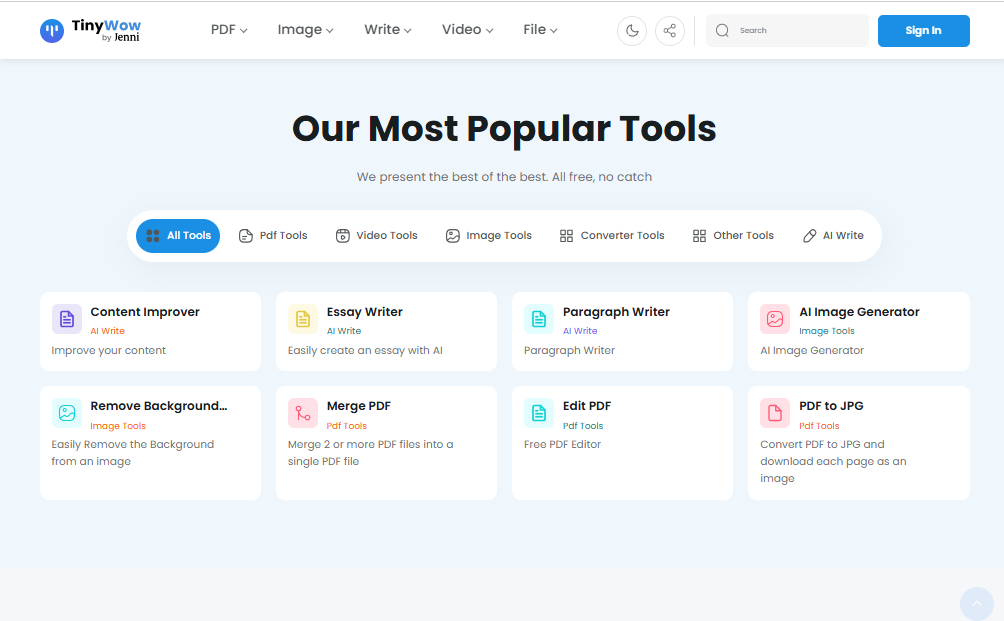
If you’ve ever needed to edit a PDF, remove a background from a photo, or write a quick paragraph without installing new software, chances are you’ve stumbled across TinyWow. It has quietly become one of the most-used free toolkits on the internet, and its AI-powered features have only expanded its appeal. This guide breaks down everything you need to know about TinyWow AI — what it does, how much it costs, who it’s for, and how it stacks up against the competition.
What Is TinyWow AI?
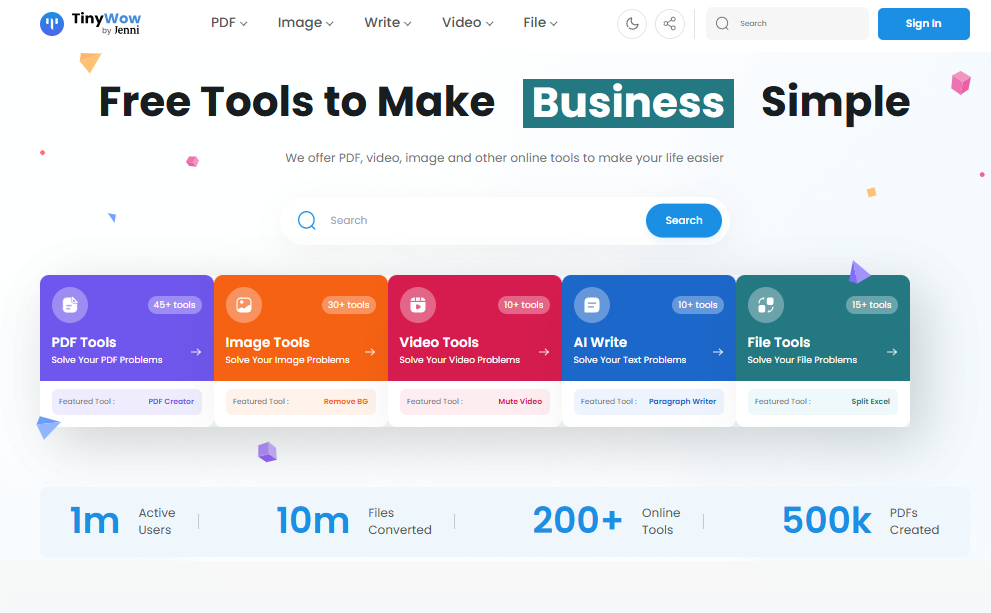
TinyWow is a browser-based platform that bundles together more than 150 individual tools covering PDFs, images, video, audio, and AI-assisted writing. Instead of downloading separate apps for each task, you simply open the TinyWow website, pick a tool, upload your file or type your text, and get your result in seconds. No account is required to use most of the tools, and there’s no software to install on your device.
Its AI layer adds automated capabilities on top of the classic file tools — things like generating essays, rewriting sentences, creating images from text prompts, and restoring old or blurry photos. It’s essentially a Swiss Army knife for everyday digital tasks, aimed at people who want something fast and free rather than a full-featured professional suite.
Key Features
- PDF tools – merge, split, compress, convert, edit, and sign PDFs without watermarks
- AI writing tools – essay writer, paragraph rewriter, grammar fixer, and text summarizer
- AI image tools – text-to-image generation, background remover, photo restoration, and profile picture maker
- Video and audio tools – video compressor, GIF maker, and audio extractor
- File conversion – convert between formats like Word, JPG, PNG, and PDF
- No sign-up requirement for most basic tools, with optional free accounts to save your work
Benefits
- Saves money by replacing several paid apps with one free hub
- Works entirely in the browser, so there’s nothing to install
- Covers a wide range of everyday tasks in a single place
- Simple, uncluttered interface that’s easy for beginners
- Files are automatically deleted after about an hour, which helps with privacy
Pros & Cons
Pros
- Most tools are completely free to use
- Huge variety of tools under one roof
- No installation or account needed for basic use
- Fast processing for most file types
- Reasonably priced ad-free plan for frequent users
Cons
- AI writing quality is basic compared to dedicated AI writing tools
- Ads can be intrusive on the free tier
- Not ideal for sensitive or confidential files, since uploads go to a third-party server
- Some users report the free image generator and essay tools produce inconsistent results
- No dedicated mobile app
Pricing
TinyWow’s core appeal is that almost everything is free, with no credit card required. For people who want a cleaner experience, TinyWow offers a paid tier that removes ads and captchas and speeds up processing.
| Plan | Price | What You Get |
|---|---|---|
| Free | $0 | Full access to all tools, ads and captchas included |
| Supporter Plan | $5.99/month | Ad-free experience, no captchas, faster processing |
Pricing and plan names can shift over time, so it’s worth checking the official TinyWow pricing page before subscribing.
System Requirements
Because TinyWow runs entirely in a web browser, there’s nothing to install and no minimum hardware requirement beyond a device that can run a modern browser. You’ll need:
- A stable internet connection
- An updated browser such as Chrome, Firefox, Edge, or Safari
- Enough local storage to save downloaded files
Supported Platforms
TinyWow is a web-first product. Here’s how it holds up across devices:
- Web – Fully supported and the primary way to use the platform
- Windows – Accessible through any browser, no desktop app
- macOS – Accessible through any browser, no desktop app
- Android – Works through the mobile browser; no dedicated app
- iPhone – Works through Safari or any mobile browser; no dedicated app
How to Use TinyWow AI (Step-by-Step)
- Go to the TinyWow website and browse the tool categories: PDF, AI Tools, Image, Write, Video, or File Tools
- Select the specific tool you need, such as the background remover or essay writer
- Upload your file, or type/paste your text into the tool
- Adjust any available settings, such as output format or writing tone
- Let the tool process your request
- Download your finished file or copy your generated text
- Remember that uploaded files are automatically deleted after about an hour
Best Use Cases
- Quickly converting a PDF to Word or merging multiple PDFs into one file
- Removing the background from a product photo or profile picture
- Drafting a rough essay outline or blog post starting point
- Compressing a video before sharing it online
- Restoring an old, low-quality family photo
Who Should Use It?
TinyWow works well for students handling assignments, freelancers editing client files, social media managers making quick graphics or captions, and everyday users who need a one-off file conversion. It’s less suited to businesses working with sensitive documents, or writers and designers who need professional-grade, highly polished AI output.
Alternatives
- Adobe Acrobat – stronger PDF editing but requires a paid subscription
- Canva – better for design-heavy image work and templates
- Originality.ai / Jasper – more advanced AI writing quality
- Remove.bg – more precise background removal
- HandBrake – more control over video compression, but requires installation
Feature Comparison Table
| Feature | TinyWow | Adobe Acrobat | Canva | Jasper AI |
|---|---|---|---|---|
| PDF Editing | Yes | Yes | Limited | No |
| AI Writing | Basic | No | No | Advanced |
| Image Editing | Basic | No | Advanced | No |
| Free Tier | Generous | Limited | Generous | Limited |
| Installation Needed | No | Yes (desktop) | No | No |
Pros & Cons Table
| Pros | Cons |
|---|---|
| Free access to most tools | Ads on the free plan |
| Wide range of tools | Basic AI writing quality |
| No installation required | No dedicated mobile app |
| Simple interface | Not ideal for sensitive files |
| Affordable ad-free plan | Inconsistent image generation results |
Pricing Table
| Plan | Monthly Price | Ads | Captchas | Processing Speed |
|---|---|---|---|---|
| Free | $0 | Yes | Yes | Standard |
| Supporter | $5.99 | No | No | Faster |
FAQs
1. Is TinyWow AI really free? Yes, the majority of tools are free to use without a credit card. A paid plan is available for an ad-free, faster experience.
2. Do I need to create an account to use TinyWow? No, most tools can be used without signing up. Creating a free account simply lets you save your work.
3. Is TinyWow safe to use for sensitive documents? Files are deleted after about an hour, but since your files are uploaded to a third-party server, it’s best to avoid using it for highly confidential documents.
4. Does TinyWow have a mobile app? No, there’s no dedicated Android or iPhone app, but the site works through any mobile browser.
5. How good is TinyWow’s AI writing tool? It’s suitable for quick drafts and outlines, but the output quality is generally simpler than dedicated AI writing platforms.
6. Can I use TinyWow tools without watermarks? Yes, most tools including PDF editing produce watermark-free results.
7. What happens to my uploaded files? TinyWow states that both processed and unprocessed files are automatically deleted after roughly one hour.
Conclusion
TinyWow AI earns its popularity by doing one thing well: making everyday file and writing tasks fast, free, and hassle-free. It won’t replace professional-grade software for serious PDF editing, professional design, or advanced AI writing, but for quick, occasional tasks, it’s hard to beat the convenience. If you need a reliable all-in-one toolbox without committing to multiple subscriptions, TinyWow is well worth trying — just be mindful of what files you upload if privacy is a concern.