Introduction
Writing, researching, and checking content for originality can eat up hours of your day. Whether you are a student racing to finish an essay, a teacher grading dozens of papers, or a freelance writer juggling multiple projects, having one tool that handles several of these tasks can be a huge relief. That is the gap Smodin AI tries to fill. Instead of switching between five different apps, Smodin bundles writing, rewriting, plagiarism detection, AI detection, and translation into a single platform. In this article, we will break down what Smodin AI actually does, how much it costs, who it is best suited for, and how it stacks up against other tools in the market.
What Is Smodin AI?
Smodin AI is an all-in-one AI-powered writing and research assistant built primarily for students, educators, and content creators. It combines natural language processing and machine learning to help users generate essays, rewrite text, check for plagiarism, detect AI-generated content, summarize articles, and even solve homework problems. Rather than positioning itself as a single-purpose tool like a grammar checker or a chatbot, Smodin aims to be a full writing suite that covers everything from the first draft to the final proofread.
Key Features
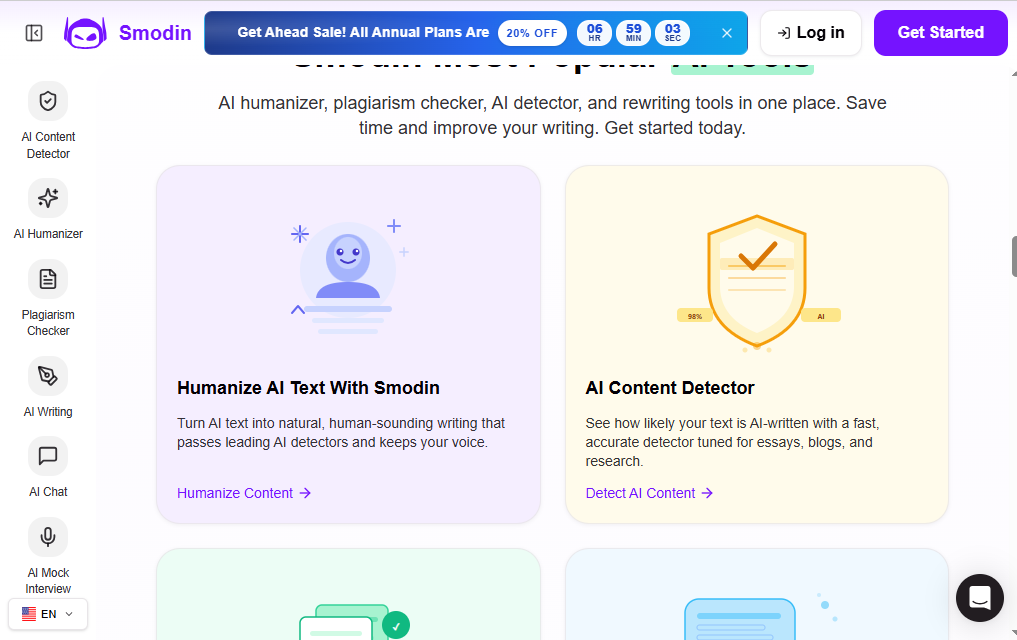
- AI Essay and Article Writer – Generates structured drafts based on a topic or prompt.
- Text Rewriter and Paraphraser – Rewrites sentences or full documents while preserving meaning.
- Plagiarism Checker – Scans text against online sources to flag matching content.
- AI Content Detector – Estimates the likelihood that text was written by AI.
- Humanizer Tool – Adjusts AI-generated text to read more naturally.
- Summarizer – Condenses long articles or documents into short summaries.
- Translator – Supports multi-language translation for documents and text.
- Homework Solver – Helps with math and other structured problem-solving tasks.
- AI Chatbot with Web Access – Answers questions using up-to-date internet data.
- Auto Citation Generator – Creates references in MLA, APA, and other formats.
- Chrome Extension – Brings core tools directly into the browser.
Benefits
Smodin’s biggest advantage is consolidation. Instead of paying for a rewriter, a plagiarism checker, and a translator separately, users get all of these under one subscription. The tools are generally easy to use, requiring little more than a prompt or a block of pasted text. For students and teachers specifically, the combination of an AI detector and a plagiarism checker in the same dashboard is genuinely useful for maintaining academic integrity. The web-connected chatbot also means answers are not limited to outdated training data.
Pros & Cons
Pros:
- Wide range of tools in a single subscription
- Useful for both writing and detecting AI-generated content
- Multi-language support
- Free plan available to test the platform
- Citation generator saves time on academic work
Cons:
- Free plan is quite limited (low weekly credits and character caps)
- Pricing can feel steep at higher tiers compared to single-purpose tools
- Output quality on long-form essays sometimes needs manual editing
- Interface can feel cluttered given the sheer number of tools
Pricing
Smodin uses a freemium model with a free tier and several paid plans. Exact pricing has shifted over time and often depends on promotions or billing cycle (monthly vs. annual), so it is worth checking the official site before subscribing. As a general guide:
- Free/Limited Plan – Basic access with weekly credit and character limits.
- Essentials Plan – Roughly $10–15/month, offering higher credit limits and access to core tools like rewriting and plagiarism checking.
- Productive Plan – Roughly $25–29/month, aimed at users needing higher character limits and long-form content tools.
- Ultimate Plan – Roughly $30–79/month depending on promotions, including full access to all tools, sub-accounts, and API usage.
System Requirements
Since Smodin is a cloud-based tool, there are no heavy hardware requirements. You simply need:
- A modern web browser (Chrome, Firefox, Safari, or Edge)
- A stable internet connection
- No specific operating system requirements, as it runs entirely online
Supported Platforms
| Platform | Supported |
|---|---|
| Web | Yes |
| Windows | Yes (via browser) |
| macOS | Yes (via browser) |
| Android | Limited/browser-based |
| iPhone | Limited/browser-based |
Smodin does not currently offer dedicated native mobile apps for iOS or Android; instead, it is accessed through a mobile browser. A Chrome extension is available for desktop users who want quicker access to its tools.
How to Use Smodin AI (Step-by-Step)
- Sign up for a free account on the Smodin website using your email.
- Choose a tool from the dashboard, such as the essay writer, rewriter, or plagiarism checker.
- Enter your prompt or paste your text, depending on the tool selected.
- Adjust settings like tone, length, or output language if the tool supports it.
- Generate the output and review the result on screen.
- Edit as needed, since AI-generated drafts usually benefit from a human review pass.
- Run it through the AI detector or plagiarism checker if originality matters for your use case.
- Export or copy the final version for use in your document or assignment.
Best Use Cases
- Drafting first versions of essays or articles
- Paraphrasing existing content to avoid repetition
- Checking student submissions for plagiarism or AI use
- Translating documents into another language
- Summarizing long research papers quickly
- Generating citations for academic writing
Who Should Use It?
Smodin is best suited for students working on essays and research papers, teachers who need to verify originality in submitted work, and content creators or freelancers who want a broad toolkit without subscribing to multiple separate apps. It may be less appealing to professional writers who need deep customization or businesses needing enterprise-grade collaboration features.
Alternatives
Several tools compete with Smodin in different niches:
- QuillBot – Strong paraphrasing and grammar tool.
- Grammarly – Focused on grammar, tone, and clarity.
- Turnitin – Widely used academic plagiarism detection.
- Jasper – Geared toward marketing and long-form content creation.
- Textero – Academic writing assistant with citation support.
Feature Comparison Table
| Feature | Smodin | QuillBot | Grammarly | Turnitin |
|---|---|---|---|---|
| Essay/Article Writer | Yes | Limited | No | No |
| Rewriter/Paraphraser | Yes | Yes | Limited | No |
| Plagiarism Checker | Yes | Limited | Yes (paid) | Yes |
| AI Content Detector | Yes | Limited | Yes | Yes |
| Translator | Yes | No | No | No |
| Citation Generator | Yes | No | No | No |
| Free Plan | Yes | Yes | Yes | No |
Pros & Cons Table
| Pros | Cons |
|---|---|
| All-in-one writing suite | Free plan has strict limits |
| Built-in AI detector and plagiarism checker | Higher tiers can be pricey |
| Multi-language translation | Long-form output may need editing |
| Citation generator for academic work | No dedicated mobile app |
| Chrome extension for quick access | Interface can feel busy |
Pricing Table
| Plan | Approximate Price | Best For |
|---|---|---|
| Free/Limited | $0 | Trying the platform, light use |
| Essentials | ~$10–15/month | Students with regular writing needs |
| Productive | ~$25–29/month | Frequent users needing longer content |
| Ultimate | ~$30–79/month | Teams, power users, API access |
Pricing may vary based on promotions and billing cycle. Check the official Smodin website for current rates.
FAQs
1. Is Smodin AI free to use? Yes, Smodin offers a free plan, but it comes with limited weekly credits and character caps, making it suitable mainly for occasional use.
2. Does Smodin have a mobile app? No dedicated iOS or Android app currently exists. Smodin is accessed through a mobile browser instead.
3. How accurate is Smodin’s AI detector? Smodin’s AI detector is generally considered reliable at its price point, though like all AI detectors, it is not 100% accurate and results should be treated as an indicator rather than a definitive verdict.
4. Can Smodin help with academic citations? Yes, it includes an auto citation generator that supports formats such as MLA and APA.
5. Is Smodin suitable for professional content creation? It can help with drafts and rewriting, but professional writers or marketers may need to supplement it with more specialized tools for tone, SEO optimization, or brand voice.
6. Does Smodin support multiple languages? Yes, it includes translation features that support a range of languages for both text and document translation.
7. What makes Smodin different from tools like QuillBot or Grammarly? Smodin combines writing, rewriting, plagiarism checking, AI detection, translation, and citation tools in one platform, whereas most competitors focus on a narrower set of features.
Conclusion
Smodin AI positions itself as a practical, all-in-one solution for students, educators, and writers who want writing assistance, plagiarism checking, and AI detection without juggling multiple subscriptions. Its free plan is a reasonable way to test the waters, though anyone with regular writing needs will likely need to upgrade to unlock the platform’s full potential. While it may not fully replace specialized tools for professional content marketing, it remains a solid, budget-friendly option for academic and general writing tasks. As with any AI tool, the best approach is to use it as a starting point and add your own editing and judgment before finalizing any work.