If you’ve spent any time hunting for AI content tools, you’ve probably come across WordHero. It promises to turn a blank page into a finished blog post, ad, or product description in seconds. But does it actually deliver, or is it just another AI writer riding the hype wave? Let’s break it down.
What Is WordHero?
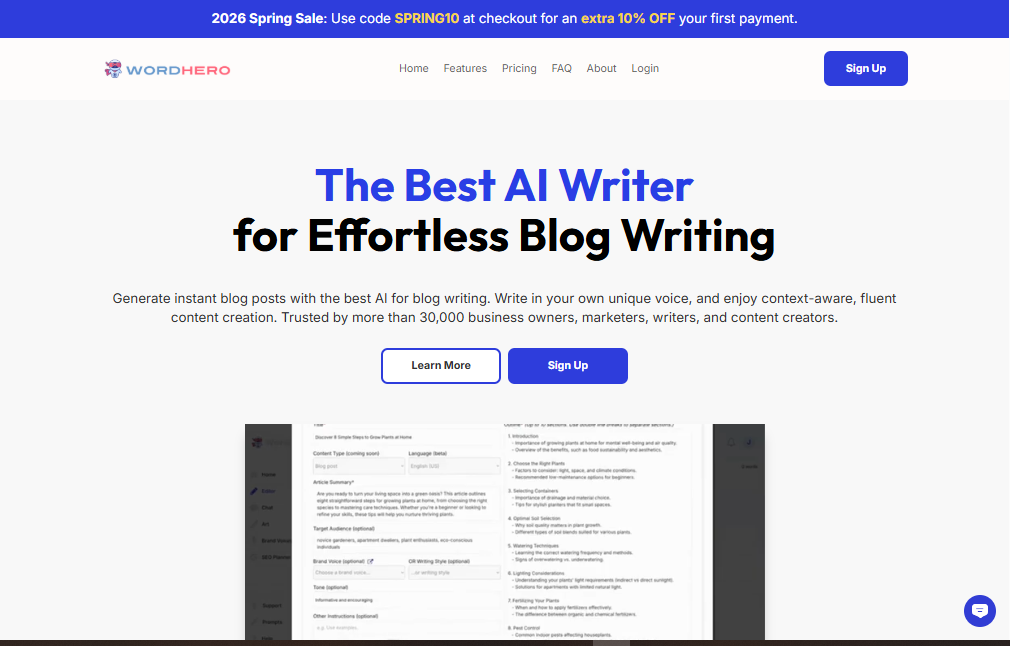
WordHero is an AI-powered writing assistant built to help bloggers, marketers, and business owners create content faster. It offers over 80 tools for creating blog articles, social media content, and marketing copy, and allows writers and business owners to customize brand voices, incorporate keywords, and produce long-form content.
The platform is designed for plagiarism-free content creation across many use cases, including blogs, ads, and product descriptions, essentially automating a large chunk of the content creation process. Whether you’re a solo blogger trying to keep up with a publishing schedule or a small team producing marketing copy at scale, WordHero positions itself as a shortcut to consistent, readable content.
Key Features
80+ Writing Templates
From blog intros to Facebook ads, WordHero comes packed with templates for nearly every content format you might need, cutting down the “what do I even write” paralysis.
Brand Voice Customization
One of WordHero’s standout features is brand voice customization, which lets writers maintain a consistent tone across all their content — useful if multiple people on your team are producing content under one brand identity.
Keyword Assistant for SEO
WordHero includes a Keyword Assistant that lets you drop your target keywords directly into the editor, and the AI works to weave them naturally into the generated content.
Long-Form Editor
Beyond short snippets, WordHero has a dedicated long-form mode for writing full articles and blog posts, not just isolated paragraphs.
AI Image Generation (WordHero Art)
The platform also generates visuals for blogs or social posts through a feature called WordHero Art, with paid plans including monthly image credits.
Multi-Language Support
WordHero supports writing in 108 languages, which is a big plus for anyone creating content for international audiences.
Benefits
- Speed: Generate a full draft in minutes instead of hours.
- Consistency: Brand voice settings help keep tone uniform across a team.
- All-in-one workflow: Writing, SEO keyword integration, and image generation live under one roof.
- Beginner-friendly: No advanced prompting skills required — templates guide you through the process.
- Global reach: Multi-language support opens the door to non-English content without hiring separate translators.
Pros & Cons
Pros
- Large template library covering diverse content needs
- Built-in SEO tools for better search visibility
- Brand voice feature for consistent tone
- Includes AI image generation
- Supports over 100 languages
Cons
- New users may need time to get familiar with all the available features
- AI-generated content still requires human editing to ensure quality
- Monthly and annual plans come with token and credit limits, with higher limits reserved for the lifetime deal
- Pricing has shifted over time, so current plans and limits are worth confirming directly on their site
- Like most AI writers, occasional repetitive or generic phrasing can slip through
Pricing
WordHero’s pricing has evolved since launch, and different sources list slightly different current rates, so treat the numbers below as a general guide rather than gospel — always check wordhero.co for the latest figures.
Broadly, WordHero runs on a tiered subscription model:
- Creator Plan: Aimed at individual content creators, generally priced somewhere in the $29–$49/month range depending on billing cycle and current promotions.
- Infinity Plan: Built for teams, offering unlimited use of all features, up to 50 brand voices, 20 advanced writer generations per hour, 1,000 WordHero Art credits monthly, and support for up to 1,000 keywords across 50 SEO projects, typically priced around $79–$99/month.
- Lifetime Deals: WordHero has periodically offered one-time-payment lifetime plans (often through AppSumo), ranging from a Lifetime Starter with limited Generator Mode access to a Lifetime Pro tier including Long-form Mode and Chat features.
Most plans come with a trial or money-back guarantee window, so it’s worth testing the tool before committing to an annual plan.
How to Use WordHero
- Sign up on wordhero.co and choose a plan (or start with a free trial if available).
- Pick a template based on what you’re creating — blog post, ad copy, product description, and so on.
- Set your brand voice (optional but recommended) so the tone matches your brand.
- Add your keywords through the Keyword Assistant if SEO is a priority.
- Generate content — WordHero produces a draft in seconds.
- Edit and refine the output. Treat the AI draft as a strong starting point, not a finished product.
- Add visuals using WordHero Art if you need accompanying images.
- Export or publish directly to your workflow.
Best Use Cases
- Bloggers needing to maintain a consistent publishing schedule
- Small marketing teams producing ad copy, email campaigns, and social posts
- E-commerce businesses writing large volumes of product descriptions
- Agencies managing multiple client brand voices at once
- Solopreneurs who need to wear the “content writer” hat without hiring one
It’s less suited for highly technical, nuanced writing (legal documents, deep research pieces) where factual precision and original analysis matter more than speed.
Alternatives
If WordHero doesn’t quite fit your needs, a few alternatives are worth considering:
- Jasper – A more established AI writer with strong brand-voice and team collaboration features, generally at a higher price point.
- Writesonic – Known for affordability and solid SEO-focused writing tools.
- Rytr – A budget-friendly option for shorter-form content.
- Scalenut – Leans heavily into SEO content planning alongside writing.
- Copy.ai – Strong for short marketing copy and ad variations.
The “best” choice really depends on your budget, the volume of content you need, and how much you value features like SEO tooling versus pure writing speed.
FAQs
Is WordHero good for SEO content?
Yes — its Keyword Assistant is specifically built to integrate target keywords into generated content, though you should still run final drafts through your usual SEO checklist.
Does WordHero produce plagiarism-free content?
It’s marketed as generating original content, but as with any AI tool, running outputs through a plagiarism checker before publishing is a smart habit.
Can I use WordHero for languages other than English?
Yes, it supports content generation in over 100 languages.
Is there a free trial?
WordHero has historically offered trial periods and money-back guarantees, though exact terms change, so check the current offer on their site.
Do I still need to edit the AI-generated content?
Yes. Like virtually every AI writing tool, WordHero drafts are a starting point — human review improves accuracy, tone, and originality.
Conclusion
WordHero is a solid pick if you want an all-in-one AI writing tool that handles blog posts, marketing copy, SEO keyword integration, and even basic image generation without needing five different subscriptions. It’s approachable for beginners, flexible for teams through brand voice settings, and multilingual support makes it useful beyond English-only markets.
That said, it’s not a “set it and forget it” tool — you’ll still want to edit outputs for quality and check current pricing before signing up, since plans and limits shift over time. If your priority is speed and volume for everyday content needs, WordHero is worth a trial run. If you need deeply researched or highly technical writing, you’ll likely still want a human writer in the loop regardless of which AI tool you choose.