Introduction
The chatbot and AI-assistant space has exploded over the last few years, and picking the right platform to build one can feel overwhelming. One name that keeps showing up in that conversation is Bottr. If you’ve been searching for a way to create a custom AI assistant without hiring a development team, this guide breaks down everything you need to know about Bottr — what it does, how it works, what it costs, and whether it’s the right fit for you.
What Is Bottr?
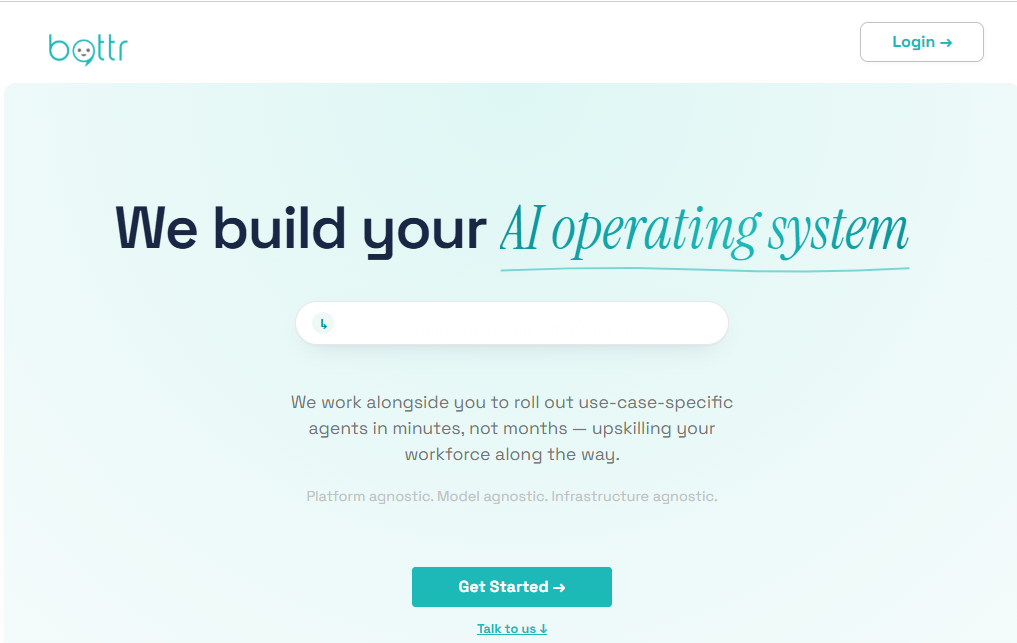
Bottr (also known as Bottr.me) is a no-code AI chatbot and virtual-assistant builder that lets individuals and businesses create their own conversational AI agents. Instead of writing code, users feed the platform instructions, documents, and data, and Bottr trains a bot around that information. The resulting assistant can be customized with its own name, avatar, and personality, then deployed across websites, apps, and messaging channels.
Under the hood, Bottr connects to large language models so bots can hold natural, context-aware conversations. It comes with a base layer of general knowledge, then layers on whatever custom data or instructions you provide, so the bot becomes more useful and personalized the more you interact with it.
Key Features
- No-code bot builder – Create a chatbot by describing what you want in plain language, no programming required.
- Custom training data – Upload documents, FAQs, or website content so the bot answers using your own information.
- Branding and personalization – Set a custom name, avatar, tone of voice, and personality for your bot.
- Multi-channel deployment – Embed bots on websites, in apps, or connect them to messaging platforms.
- Bot marketplace – Browse or list pre-built bots created by other users for various purposes.
- Multiple AI model support – Choose from different underlying language models depending on your needs.
- Analytics and conversation data – Track how users interact with your bot to refine its responses over time.
- API access – Integrate bot functionality into your own products and workflows.
Benefits
Bottr’s biggest draw is accessibility. You don’t need a technical background to launch a working AI assistant, which makes it appealing for solopreneurs, small businesses, and content creators. It also saves time: instead of building a support system from scratch, you can have a functioning bot live within a short setup session. For businesses, it offers a way to provide round-the-clock customer engagement without adding headcount, while the customization options mean the bot can genuinely reflect a brand’s voice rather than feeling generic.
Pros & Cons
Pros
- Easy setup with no coding knowledge required
- Strong customization options for branding and personality
- Works across multiple platforms and channels
- Free tier available to test before committing to a paid plan
- Bot marketplace offers ready-made templates for common use cases
Cons
- Pricing details aren’t always transparent upfront
- Advanced customization has a learning curve
- Costs can increase as usage scales
- No refunds on subscription plans
- Some features may require contacting sales for enterprise needs
Pricing
Bottr offers a free tier so users can try building and testing a bot before paying anything. Beyond that, it moves into subscription-based plans that unlock higher usage limits and more advanced features, including a higher-tier “Unlimited” plan that allows very high token usage under a fair-use policy. Exact monthly pricing isn’t consistently published, so it’s worth checking Bottr’s website directly for current plan details before subscribing, since pricing structures for AI tools tend to shift as usage costs change.
System Requirements
Since Bottr is a browser-based platform, there’s no software to install and no demanding hardware requirements. You’ll generally need:
- A modern web browser (Chrome, Firefox, Edge, or Safari)
- A stable internet connection
- An account/sign-up to access the builder dashboard
There are no minimum specs beyond what’s needed to comfortably run a web browser.
Supported Platforms
| Platform | Supported |
|---|---|
| Web (Browser) | Yes |
| Windows | Yes (via browser) |
| macOS | Yes (via browser) |
| Android | Yes (via browser/mobile web) |
| iPhone (iOS) | Yes (via browser/mobile web) |
Bottr doesn’t currently require a dedicated desktop or mobile app installation — it’s designed to be accessed through a web browser on any device, which effectively makes it cross-platform.
How to Use Bottr (Step-by-Step)
- Sign up for a free account on the Bottr website.
- Choose a starting point — build a bot from scratch or select a pre-built template from the marketplace.
- Define your bot’s purpose by describing its role (customer support, personal assistant, FAQ bot, etc.).
- Upload training data, such as documents, website links, or FAQs, so the bot can answer accurately.
- Customize the bot’s identity — set its name, avatar, tone, and personality traits.
- Test the bot in the chat interface to see how it responds and refine its instructions.
- Deploy the bot to your website, app, or preferred messaging channel.
- Monitor conversations through the analytics dashboard and adjust training data as needed.
Best Use Cases
- Customer support automation for small and mid-sized businesses
- FAQ bots for websites that reduce repetitive support tickets
- Personal AI assistants for scheduling, research, or daily organization
- Lead qualification bots for sales teams
- Educational or informational bots that answer questions from a specific knowledge base
Who Should Use It?
Bottr is best suited for small business owners, freelancers, content creators, and customer support teams who want a functional AI assistant without hiring developers. It also appeals to hobbyists or individuals who want to experiment with building a personal AI companion. Larger enterprises with complex integration needs may want to evaluate the platform closely first, since detailed enterprise pricing and support often requires direct contact with the Bottr team.
Alternatives
If Bottr doesn’t check every box for you, a few other chatbot builders worth comparing include:
- Chatbase – Focused on training bots from your own documents and website content.
- Landbot – Known for visual, drag-and-drop conversation flow building.
- Tidio – Popular for e-commerce customer support chatbots.
- ManyChat – Strong for social media and messaging-app automation.
- Voiceflow – Geared toward more advanced, multi-step conversational design.
Feature Comparison Table
| Feature | Bottr | Chatbase | Tidio |
|---|---|---|---|
| No-code builder | Yes | Yes | Yes |
| Custom training data | Yes | Yes | Limited |
| Multi-channel deployment | Yes | Limited | Yes |
| Bot marketplace | Yes | No | No |
| Free tier | Yes | Yes | Yes |
| API access | Yes | Yes | Yes |
Pros & Cons Table
| Pros | Cons |
|---|---|
| Simple, no-code setup | Pricing not fully transparent |
| Strong branding/customization | Learning curve for advanced features |
| Free tier to test the platform | Costs rise with scale |
| Multi-platform accessibility | No refunds on subscriptions |
| Bot marketplace for templates | Enterprise details need direct contact |
Pricing Table
| Plan | Best For | Notes |
|---|---|---|
| Free Tier | Testing and small personal use | Limited usage credits |
| Paid Subscription | Growing businesses | Higher usage limits and features |
| Unlimited Plan | High-volume users | Fair usage policy applies |
Note: Exact prices are subject to change — check Bottr’s official pricing page for current figures.
FAQs
1. Is Bottr free to use? Yes, Bottr offers a free tier that lets you build and test a basic bot before upgrading to a paid plan.
2. Do I need coding skills to use Bottr? No. Bottr is designed as a no-code platform, so you can build a bot using plain-language instructions and uploaded data.
3. Can Bottr bots be added to my website? Yes, bots built on Bottr can be embedded on websites and connected to other digital channels.
4. Which AI models does Bottr support? Bottr supports multiple large language models, giving users some flexibility in how their bot processes and responds to conversations.
5. Is Bottr suitable for customer support? Yes, many users build Bottr bots specifically to automate customer service and answer frequently asked questions.
6. Does Bottr offer refunds? No, based on Bottr’s terms, subscription plans are generally non-refundable, so it’s worth testing the free tier thoroughly first.
7. Can I use Bottr on my phone? Yes, since Bottr runs in a web browser, it’s accessible on Android and iPhone devices without needing a dedicated app.
Conclusion
Bottr offers a genuinely approachable way to build a custom AI chatbot without needing technical expertise. Its no-code builder, customization options, and multi-channel deployment make it a solid pick for small businesses, creators, and anyone curious about building their own AI assistant. That said, the lack of fully transparent pricing and the no-refund policy mean it’s worth spending real time in the free tier before committing financially. If you want a flexible, browser-based chatbot builder and don’t mind a bit of a learning curve for advanced customization, Bottr is worth trying out.